


Creating a productive home office space can make a significant difference in your work-from-home experience. Whether you’re freelancing, running a business, or working remotely for a company, having a dedicated, comfortable, and organized area is essential to staying focused and efficient. In this post, we’ll explore practical tips to help you design a home office that supports your productivity and well-being.
Why a Productive Home Office Matters
Working from home offers flexibility, but it also comes with challenges such as distractions and blurred boundaries between work and personal life. A well-planned office space can help you:
– Reduce distractions and improve focus
– Maintain a healthy work routine
– Enhance creativity and motivation
– Separate work time from personal time
With that in mind, let’s dive into the components of a successful home office setup.
Choosing the Right Location
Find a Dedicated Space
If possible, choose a room or corner that can be dedicated solely to work. This physical separation helps signal to your brain that it’s time to focus and minimizes interruptions from household activities.
Consider Natural Light
Natural light boosts mood and energy. Try to position your desk near a window to take advantage of daylight. If that’s not possible, invest in quality lighting that mimics natural light to keep the space bright and inviting.
Minimize Noise
Look for a quiet spot away from busy areas like the kitchen or living room. If external noise is unavoidable, consider noise-canceling headphones or soundproofing options such as heavy curtains or rugs.
Ergonomics and Comfort
Invest in a Good Chair
Since you’ll be sitting for extended periods, choose an ergonomic chair that supports your posture. Features to look for include adjustable height, lumbar support, and comfortable padding.
Select the Right Desk
Your desk should allow you to work comfortably without hunching over. Ensure there’s enough space for your equipment and that it suits your height and working style. Standing desks or adjustable desks are great options for alternating between sitting and standing.
Position Your Screen Properly
Place your monitor at eye level to avoid neck strain. The top of the screen should be at or just below eye height, and the display should be about an arm’s length away.
Maintain Good Posture
Use ergonomic accessories like a keyboard tray, wrist rests, or footrests to maintain a neutral posture. Taking breaks to stretch and move around also helps prevent stiffness and fatigue.
Organizing Your Workspace
Declutter Regularly
A clean desk helps clear your mind. Remove unnecessary items daily and keep only essential tools and documents close at hand.
Use Storage Solutions
Shelves, drawers, and organizers can keep papers, supplies, and gadgets sorted. Label storage containers to find things quickly and maintain order.
Cable Management
Tangled cables create clutter and distractions. Use clips, ties, or cable boxes to keep cords neat and out of the way.
Personalize Thoughtfully
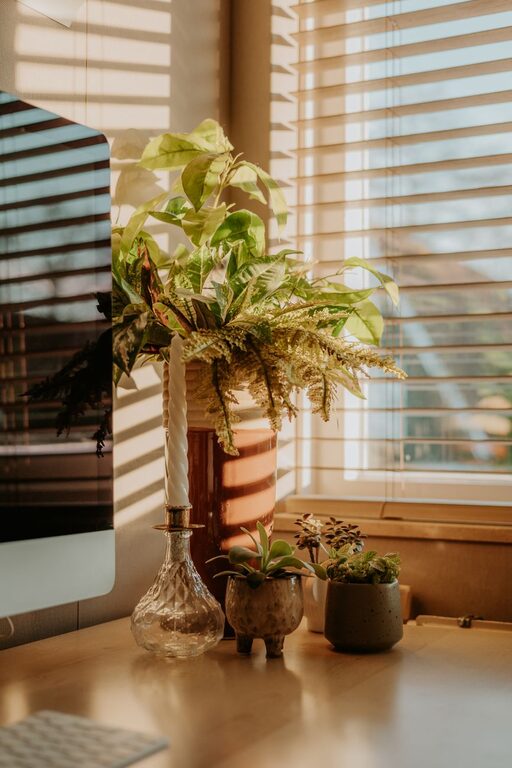
Adding a plant, a photo, or artwork can make your space more inviting without creating distractions. Balance personality with professionalism.
Technology and Tools
Reliable Internet Connection
A fast, stable internet connection is crucial for video calls, research, and uploading files. Position your router nearby or use a wired connection for improved performance.
Essential Equipment
Invest in good-quality headphones, a webcam, and a microphone if your job involves frequent virtual meetings. Use a second monitor if multitasking requires more screen space.
Productivity Apps
Consider apps and tools for time management, task tracking, and communication to stay organized and connected with your team.
Creating a Routine and Boundaries
Set Working Hours
Establishing clear start and end times helps maintain work-life balance. Share your schedule with family members or housemates to minimize interruptions.
Take Regular Breaks
Short breaks improve concentration and reduce fatigue. Use techniques like the Pomodoro method (25 minutes of work followed by a 5-minute break) to stay refreshed.
Separate Work and Personal Time
At the end of your workday, leave your workspace if possible. This physical and mental separation helps you unwind and reduces burnout.
Enhancing Focus and Motivation
Use Color and Lighting
Colors impact mood and focus. Soft blues and greens can create a calm environment, while splashes of bright colors can energize the space. Adjustable lighting lets you adapt to your tasks and time of day.
Minimize Distractions
Turn off unnecessary notifications, close irrelevant browser tabs, and set boundaries with others during your work hours.
Keep a To-Do List
Writing tasks down helps you organize your day and track progress, providing a sense of accomplishment.
—
Final Thoughts
Designing a productive home office space doesn’t require a complete overhaul or expensive investments. Thoughtful choices about location, ergonomics, organization, and routine can create an environment that supports your work goals and well-being. Start small, adjust as needed, and enjoy the benefits of a workspace designed just for you.
Happy working!